 PalletLens
Know what a product sells on Amazon before you source it.
PalletLens adds the numbers sellers need to amazon.com: each result's monthly sales, organic rank, ads and exact ratings, page 1's total sales and revenue, and each product's Best Sellers Rank and seller. Pro scores how hard a niche is, finds newcomers already selling, and works out your profit after Amazon's fees.
Free to install, no account needed. Desktop Microsoft Edge and Firefox, on amazon.com. A Chrome version is planned.
Read-only and private
PalletLens only reads the Amazon page you opened. It never acts on your account.
Read-only
Never clicks, buys or changes anything on Amazon or in Seller Central.
No extra traffic
Reads only the page you opened, a search or a product. It doesn't load other Amazon pages.
Private
Your searches, costs and the products you open stay in your browser. No sign-up, tracking or analytics.
Check a product idea in minutes
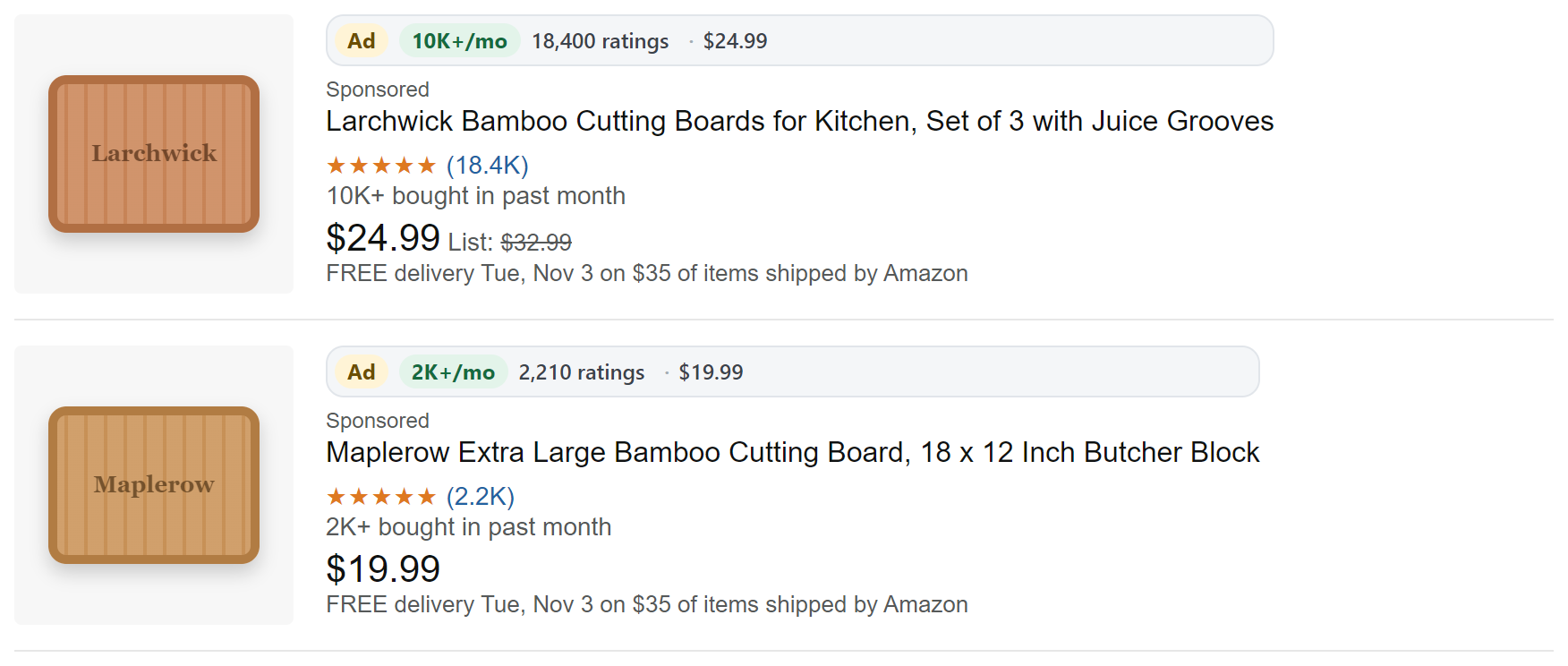
Search amazon.com and PalletLens adds a badge to every result and a panel with what page 1 sells. Open a few products and it adds their rank and who sells them.
Free
- Badges on every resultOrganic rank with ads left out, sales a month, exact ratings, price, Best Seller and New badges, and other offers.
- What page 1 sellsEvery listing's “bought in past month” added up into monthly sales and revenue, with the median price and the share of ads.
- Products you can beatDim or hide ads, hide products over 100, 500 or 2,000 ratings, or keep only those selling 100, 500 or 1,000+ a month.
- Sort the pageBy most bought, fewest ratings, price or rating.
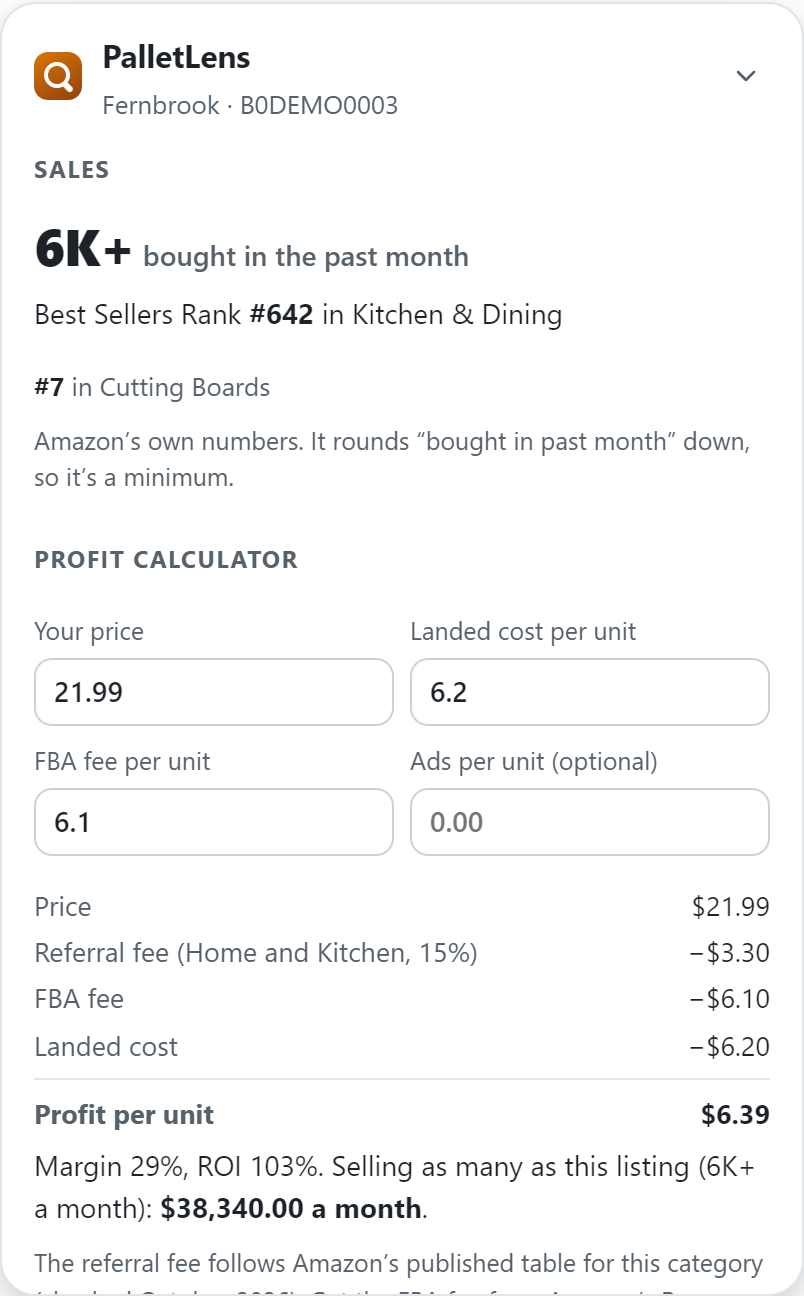
- Product inspectorOn any product, its sales a month, Best Sellers Rank and categories, brand, who sells and ships it, and how many sellers offer it.
- Ranks on your searchesProducts you've opened show their rank and seller on later searches.
Pro PRO
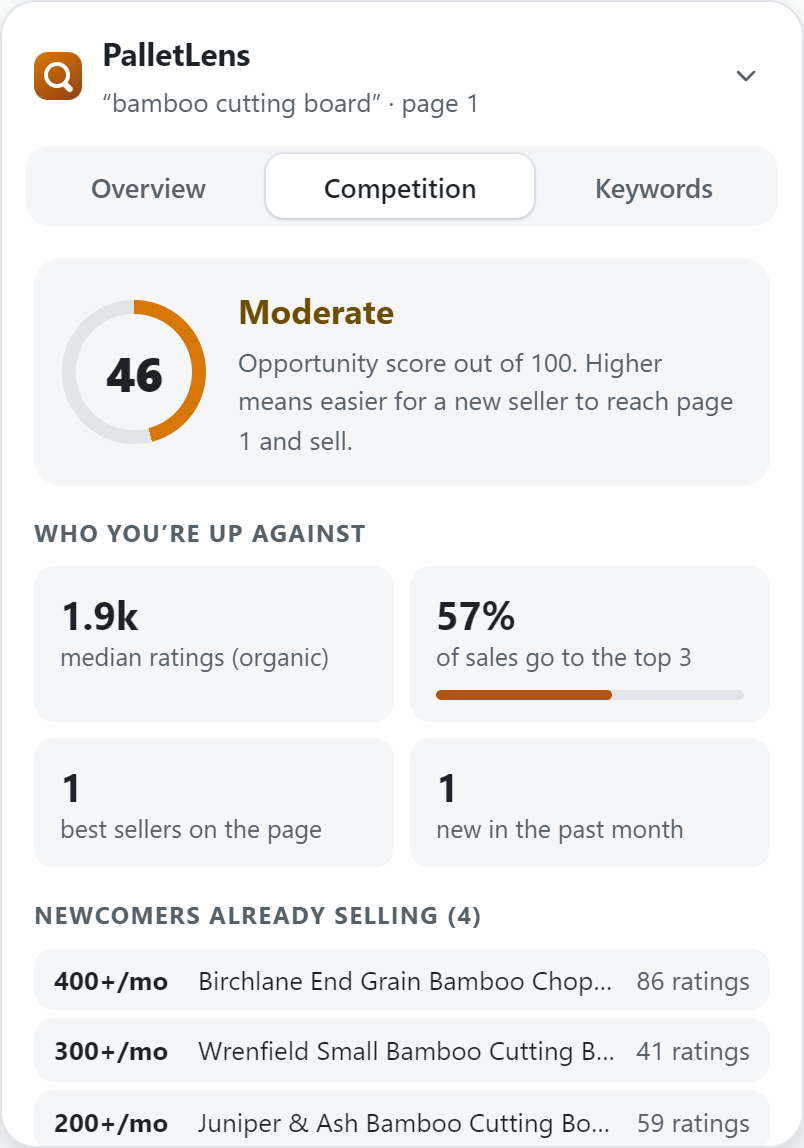
- Opportunity scoreA 0–100 score for each search, from page 1's ratings, how spread out its sales are, newcomers, ads and results.
- Newcomers already sellingListings with under 100 ratings that still sell 100+ a month: proof a new seller can get in.
- Who sells whatAmazon itself, FBA sellers or sellers who ship, across the products you've opened from a search.
- Profit calculatorYour profit a unit and a month after Amazon's referral fee for the category, your FBA fee, ads and landed cost.
- Title keywordsThe words and phrases top listings use, sizes and counts left out. Click any to copy.
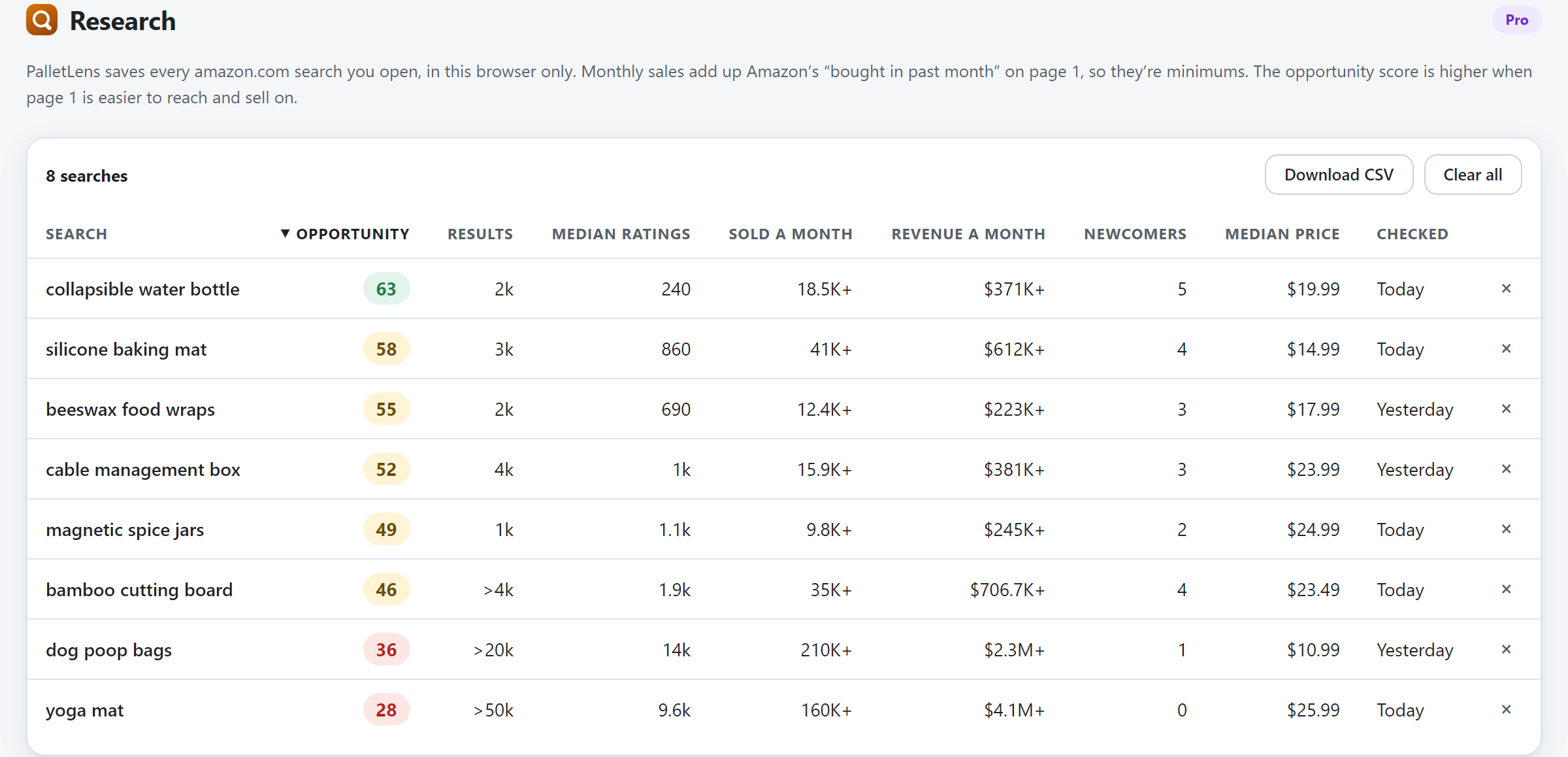
- ResearchEvery search you open, side by side: score, monthly sales and revenue, newcomers, ratings and price.
- CSV exportDownload any results page, or all your research, for your own analysis.
Try it free: the free version unlocks Pro on 3 searches a day.
Pricing
Start free. Upgrade when you want the full picture.
Free
$0
Forever
- Badges on every result, with sales a month
- Page 1's monthly sales and revenue
- Ads marked, dimmed or hidden
- Filters for products you can beat
- Sorting by sales, ratings or price
- Sales, rank and seller on any product
- Full Pro on 3 searches a day
Pro
$12 / month
or $89 / year, about 38% less
- Everything in Free
- An opportunity score for every search
- Newcomers already selling
- Who sells the products you open
- Profit after Amazon's fees, from your costs
- The words top listings use
- Research across all your searches
- CSV export
14-day money-back guarantee. Cancel anytime. One license works in up to 3 browsers. Taxes may apply. Checkout and billing are handled by Lemon Squeezy.
Questions
Is PalletLens safe for my Amazon seller account?
PalletLens only reads what Amazon already shows on the page you opened. It never clicks, buys or loads other Amazon pages, and it never touches Seller Central.
Do I need an Amazon or seller account?
No. Amazon's search and product pages are public, and PalletLens needs no sign-up of its own. It never asks for your Amazon password.
Where do the sales numbers come from?
From Amazon itself: most search results and product pages show "bought in past month", such as "2K+". PalletLens adds those up for page 1. Amazon rounds each one down and shows it only from 50+, so the totals are minimums, and revenue is each listing's minimum times its price. PalletLens doesn't guess sales from the Best Sellers Rank.
How is the profit calculated?
Your price, minus Amazon's referral fee for the product's category (from Amazon's published table, with its tiers and minimums), minus the FBA fee, your ad cost per unit and your landed cost. The FBA fee depends on your package's size and weight, the season and surcharges, which product pages don't show, so you enter it from Amazon's Revenue Calculator.
What are "newcomers"?
Listings on page 1 with under 100 ratings that still sell 100 or more a month. When a search has several, new sellers are getting in; when it has none, page 1 belongs to established products.
Why doesn't every result show a rank and seller?
Amazon shows the Best Sellers Rank and the seller only on each product's own page, and PalletLens never loads pages you didn't open. Open the products you're curious about: their rank and seller appear on later searches and in the Competition tab.
Which browsers and Amazon sites does it work on?
Microsoft Edge and Firefox on desktop, on amazon.com, in every department except Kindle and other digital stores. A Chrome version is planned.
How do I unlock Pro?
Buy Pro, then copy the license key from your receipt email. In your browser, open the PalletLens toolbar button, choose "Enter license key" and paste it. Before buying, you can try it: the free version unlocks every Pro feature on the panel for 3 searches a day.
Can I use one license in several browsers?
Yes, in up to 3 browsers. To move a license, deactivate it in the browser you no longer use.
How do I cancel?
Use the "Manage subscription" link in your receipt email. Pro stays active until the end of the period you already paid for.
Can I get a refund?
Yes, within 14 days of any payment. See the refund policy.
Is PalletLens affiliated with Amazon?
No. PalletLens is an independent tool. Amazon and Fulfillment by Amazon are trademarks of Amazon.com, Inc. or its affiliates.